Toronto GTA Simcoe County Muskoka
Call Text
Northlink Systems · Security + connectivity

Security Camera Installation.
Built Around Your Property.

Better visibility starts with the right camera in the right place.

Professional surveillance installation for homes and businesses in Barrie, Simcoe County, Toronto, the GTA and Muskoka. We consider your coverage, cabling, recording and network together to help build a practical system.

Residential & commercial 4K camera options Networking expertise
Free consultation

Get a Free Quote

Tell us about your property and what you need. We’ll help you explore the right camera setup.

Preparing your contact form…

You can also contact us here.

Prefer to speak with us? Call · Text (647) 527-0401

Selected UniFi camera options

Four Cameras. Different Coverage Needs.

Explore a selection of Ubiquiti UniFi cameras we can discuss for your installation. The right choice depends on viewing distance, lighting, mounting location and your budget. Contact us to confirm availability and the complete system required.

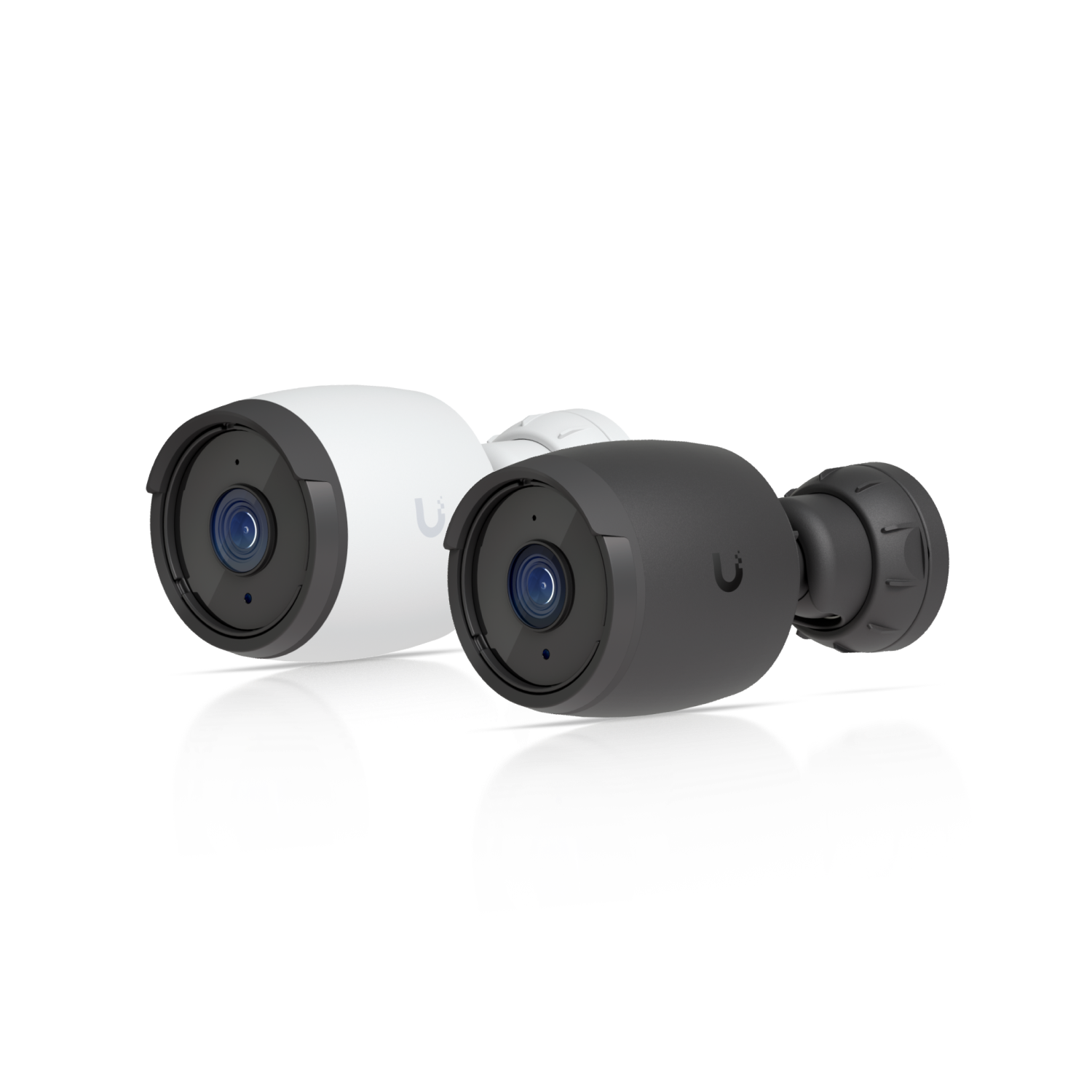
UniFi G6 Bullet
Wide-angle coverage

G6 Bullet

UVC-G6-Bullet

A fixed-lens bullet camera to consider for entrances, driveways and general property monitoring.

Resolution
4K · 8MP
Image sensor
1/1.8″
Horizontal view
109.9°
IR night vision
30 m / 98 ft
Lens
Fixed
Protection
IP66 · IK04
Power
PoE
Temperature
−20 to 50°C
Manufacturer specifications ↗
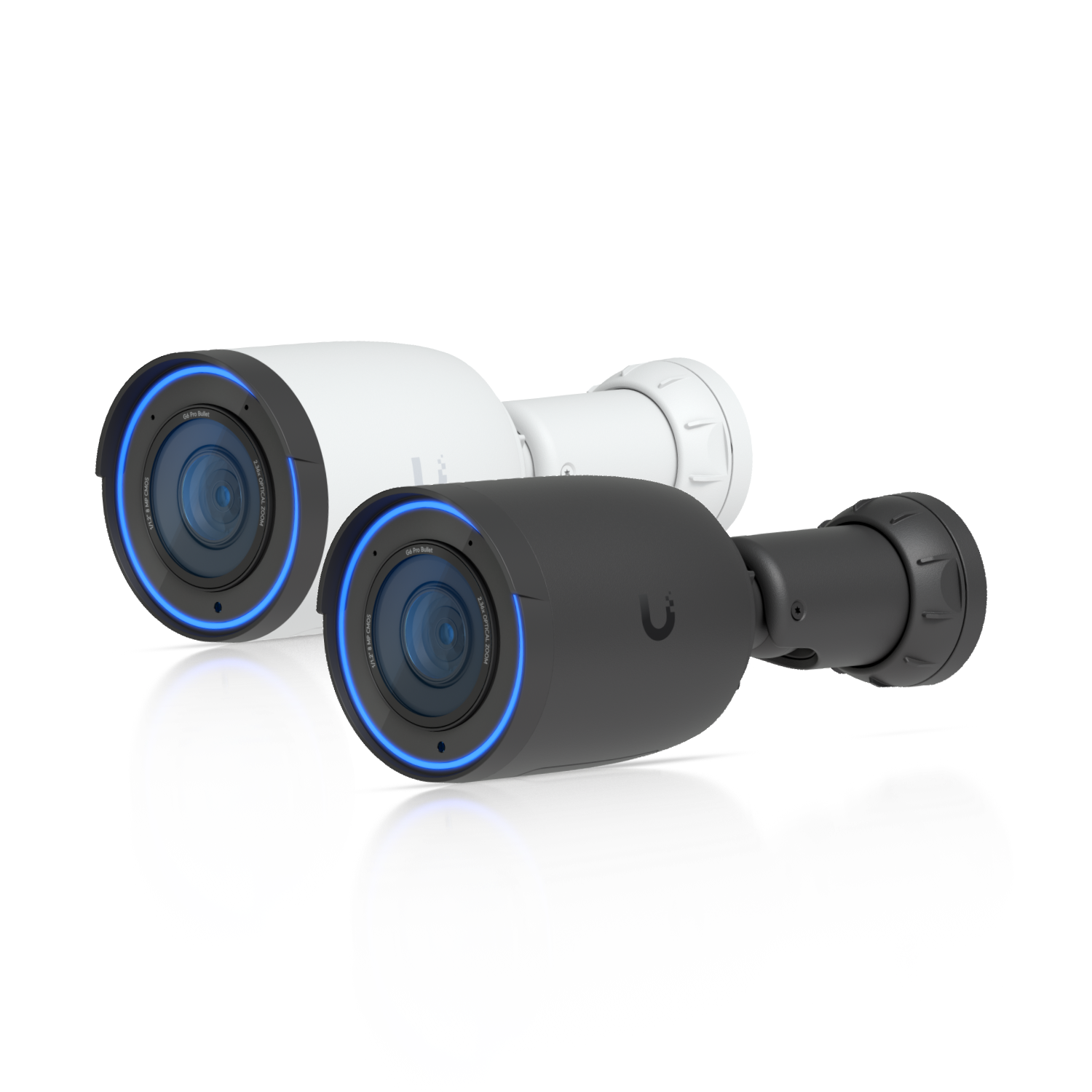
UniFi G6 Pro Bullet
Optical zoom + larger sensor

G6 Pro Bullet

UVC-G6-Pro-Bullet

An adjustable optical view and larger sensor for projects requiring more flexibility in camera framing.

Resolution
4K · 8MP
Image sensor
1/1.2″
Horizontal view
113.8°–45.5°
IR night vision
40 m / 131 ft
Optical zoom
2.36×
Protection
IP66 · IK04
Power
PoE+
Temperature
−20 to 50°C
Manufacturer specifications ↗
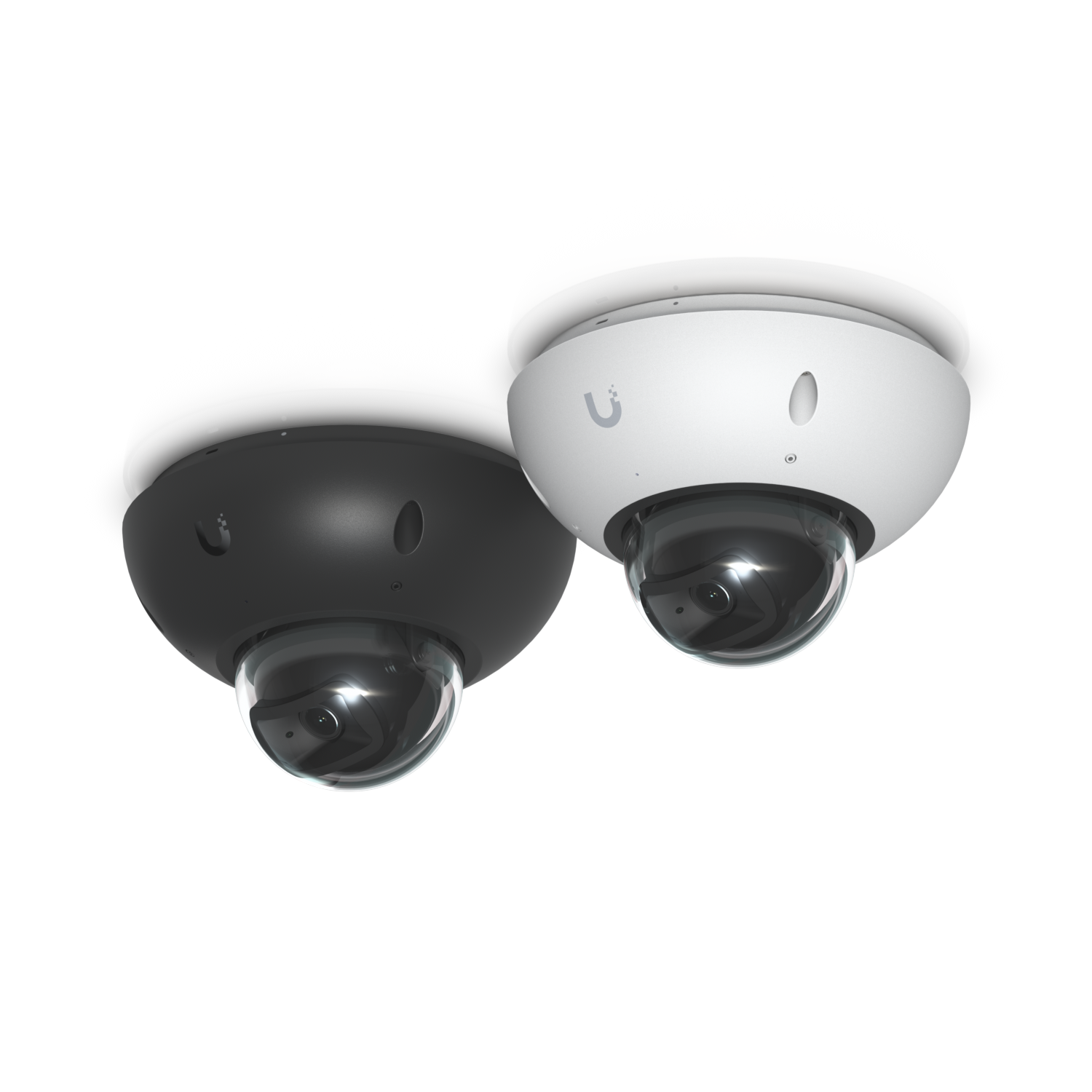
UniFi G6 Dome
Discreet dome design

G6 Dome

UVC-G6-Dome

A compact dome option with an IK10 impact rating to consider for shops, corridors and entry areas.

Resolution
4K · 8MP
Image sensor
1/1.8″
Horizontal view
109.9°
IR night vision
30 m / 98 ft
Lens
Fixed
Protection
IP66 · IK10
Power
PoE
Temperature
−20 to 50°C
Manufacturer specifications ↗
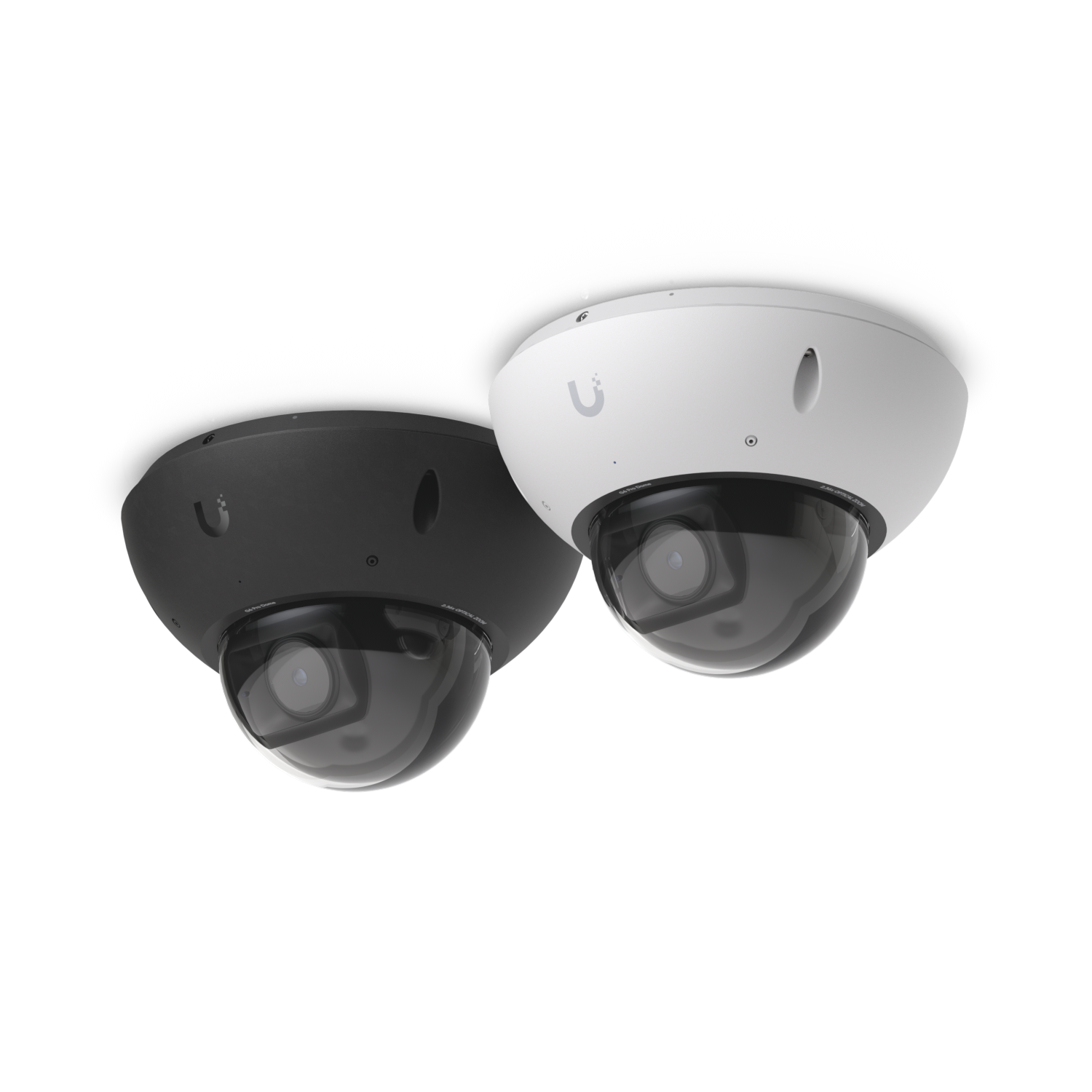
UniFi G6 Pro Dome
Dome protection + optical zoom

G6 Pro Dome

UVC-G6-Pro-Dome

A larger-sensor dome camera combining optical zoom with an IK10 impact rating for demanding installations.

Resolution
4K · 8MP
Image sensor
1/1.2″
Horizontal view
113.8°–45.5°
IR night vision
40 m / 131 ft
Optical zoom
2.36×
Protection
IP66 · IK10
Power
PoE+
Temperature
−20 to 50°C
Manufacturer specifications ↗

Specifications checked against Ubiquiti technical pages on October 3, 2026. IR distances are manufacturer illumination ratings, not guaranteed identification distances. Camera suitability also depends on lighting, angle and weather exposure. These models list a −20°C minimum operating temperature; discuss colder exposed locations with us. Compatible recording equipment, storage and appropriate PoE power must be included in the system plan.

We Have More Camera Options.

Looking for a different style, viewing angle or specialist setup? Contact us for more cameras and a recommendation tailored to your property.

Contact Us for More Options
A closer look

See Security Technology in Action.

Explore how camera coverage, recording and connected access can support day-to-day property monitoring. Tell us what you want to see, and we will help you choose a practical setup.

Look beyond resolution

Coverage Is a Design Decision.

A wide overview and a close entrance view do different jobs. Position, lens choice and lighting matter alongside megapixels.

Night Visibility

Plan for the lighting and viewing distances you actually need after dark.

Connected Recording

Match cameras, power, network capacity and storage as one working system.

From first conversation to handover

How Security Camera Installation Works.

Every property is different. A thoughtful installation starts with your coverage priorities and finishes with a system you understand.

Understand Your Priorities

We discuss your property, concerns, budget and existing equipment. Identify the areas you want to monitor and how you intend to use the footage.

Plan the Coverage

Assess viewing angles, lighting, obstructions, mounting positions and cable routes. Separate general overview areas from points where closer detail matters.

Select the System

Match cameras, compatible recording equipment, storage and networking to your requirements. Clarify equipment and service costs in your quote.

Install and Connect

Mount equipment, route connections and configure compatible cameras and recording hardware around the agreed project scope.

Configure and Test

Check views, connectivity and recorded playback. Set up supported recording schedules, activity features and remote access as required.

Walk Through the Controls

Review live viewing, playback and available export options. Discuss ongoing support and which features depend on connectivity.

Why choose Northlink Systems

Security and Connectivity, Planned Together.

Property-Specific Planning

We consider entrances, exterior approaches, important interior areas and the way your space is used before recommending equipment.

Networking Knowledge

Our work combines camera installation with networking, Wi-Fi and structured cabling. The connections behind your cameras matter too.

Practical Everyday Use

We consider recording and access alongside camera coverage so your system supports the tasks you need it for.

Support as Needs Change

Northlink provides troubleshooting, adjustments and upgrade support. Existing equipment can be assessed before deciding what needs replacing.

About Northlink

Technology That Fits Your Space.

Northlink Systems helps homeowners and businesses with security camera installation, surveillance, networking, Wi-Fi, structured cabling and connected access solutions.

Serving Barrie, Simcoe County, Toronto, the GTA and Muskoka, we look at the complete environment: what you need to monitor, how your devices connect and how you will use the finished system.

Get to know Northlink Systems →
A practical planning example

How Much Recording Storage Do You Need?

Four cameras recording continuously at an average of 4 Mb/s each generate approximately 173 GB per day. That is about 5.18 TB over 30 days before overhead.

173 GB One day
1.21 TB Seven days
5.18 TB Thirty days

Tell us how far back you want to review footage. We can discuss recording capacity alongside the cameras.

Illustrative calculation, not Northlink customer research. Formula: cameras × bitrate (Mb/s) ÷ 8 × 86,400 × days. Decimal GB/TB. Actual storage varies with compression, audio, activity, schedules, recorder overhead and usable drive capacity.

Explore Your Storage Estimate

5.18 TB

Continuous video estimate. This is not a recommended drive size or a guaranteed retention period.

Your questions, answered

Security Camera Installation FAQs.

How much does security camera installation cost?

Cost depends on equipment, camera quantity, cable routes, mounting access, storage and networking work. Contact Northlink for a quote based on your property and coverage needs.

How many security cameras do I need?

The number depends on your property layout and what you want to see. An entrance view, parking overview and interior transaction area may each need a different camera position.

What is the difference between Bullet and Dome cameras?

They use different enclosure and mounting designs. For the models shown here, Dome cameras have an IK10 impact rating while Bullet cameras have an IK04 rating. Both styles need to be selected around placement, exposure and viewing needs.

What do the Pro models add?

The G6 Pro Bullet and G6 Pro Dome shown here have a larger 1/1.2-inch sensor and 2.36× optical zoom, compared with the fixed lenses and 1/1.8-inch sensors in the G6 Bullet and G6 Dome.

Can I view my cameras on my phone?

Compatible systems support remote viewing through supported software. Remote access requires appropriate setup and usually a working internet connection. We can discuss the options for your installation.

Will recording continue if my internet goes down?

A compatible local recording system may continue recording when internet access is unavailable, provided cameras, the recorder and the local network remain powered and connected. Remote viewing may be unavailable. Cloud-dependent systems work differently.

Can these cameras be used outside in Ontario?

The featured models carry IP66 weather ratings and list an operating range of −20°C to 50°C. Outdoor suitability must account for actual exposure and temperatures at the installation location. Contact us about locations that may fall below the stated range.

Can you upgrade existing security cameras?

Existing cameras, cabling, recorders and network equipment can be assessed. What can be retained depends on compatibility, condition and your new requirements.

Do you offer other camera models?

Yes. These four cameras are a selection of options to discuss. Contact Northlink for more camera choices, current availability and a recommendation for your property.

Which areas do you serve?

Northlink serves Barrie, Simcoe County, Toronto, the Greater Toronto Area, Muskoka and surrounding Ontario communities. Contact us to confirm availability for your address.

Let’s plan your system

Ready for Better Property Visibility?

Tell us your location, what you want to monitor and whether you already have cameras. We will help you explore the equipment and installation your property needs.